![LSquared-logo-gray.png]](https://help.lsquared.com/hs-fs/hubfs/captivate/LSquared-logo-gray.png?height=40&name=LSquared-logo-gray.png)
How to Identify Device Details Using an Identity Request
If you do not know device details such as device name, device ID, or network status, you can retrieve this information from the Hub by sending a Device Identity Request.
This request displays a small device information window on the TV screen.
What Happens When You Send an Identity Request
-
A device information overlay appears on the bottom-right corner of the TV
-
Shows key details such as:
-
Device name
-
Device ID
-
Network status
-
-
The information is displayed only if the device is online
Method 1: Using the TV Remote (SoC TVs Only)
Applicable only for SoC TVs
-
Use the TV remote controller
-
Press the Blue button
-
The device information window will appear on the TV screen
Method 2: Using the Hub (All Devices)
Use this method if:
-
The remote is not available, or
-
The TV is not an SoC device
Steps:
-
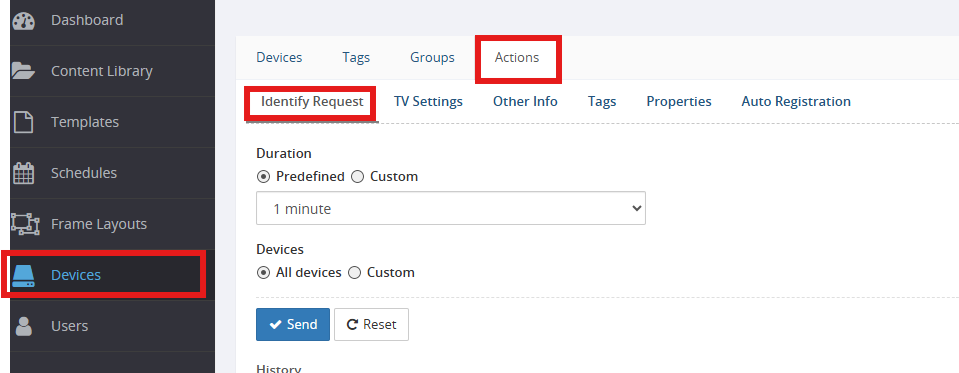
Go to Devices
-
Select Actions
-
Click Identity Request
-
Choose how long you want the identity information to remain visible on the TV
-
Select the devices:
-
You can select all devices on the hub, or
-
Select specific devices only
-
-
Click Send
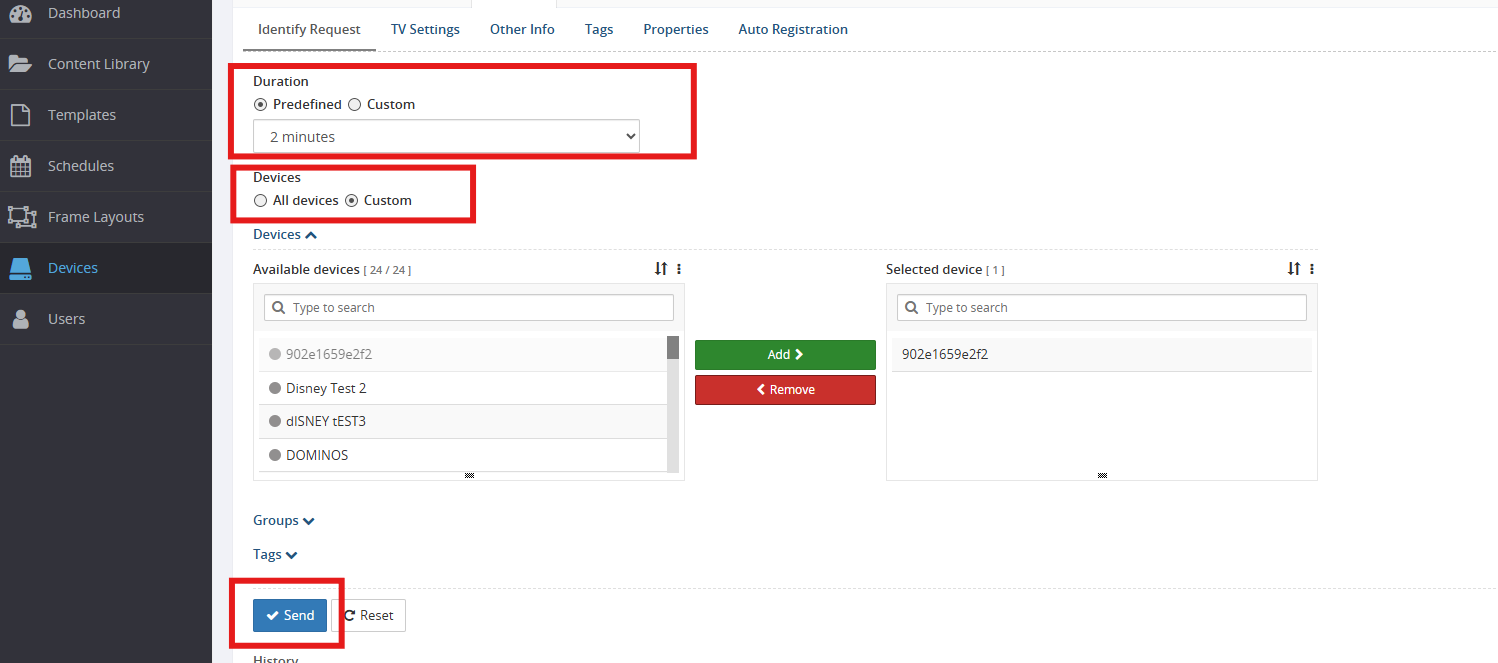
Once sent, the device details will appear on the TV screen if the device is online and connected to the hub.
Notes
-
Identity information will not display if the device is offline
-
Duration of the display depends on the time selected during the request